Custom Embroidery Design1.0
Publisher Description


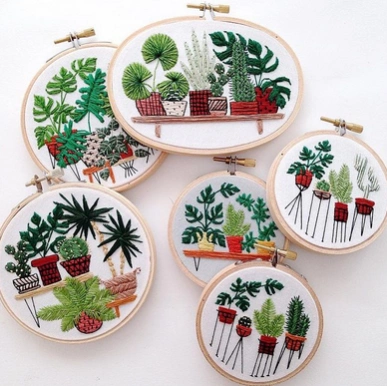

Featured Various Custom Embroidery Design
s. The ribbon gives a three-dimensional effect because the tape size is larger than the thread. Ribbon tape products are also more decorative because of the more diverse ribbons.
The end result of embroidery can be distinguished into:
Flat-flat: flat embroidered results with fabric surface
-Sulam terawang (filigree): hollow embroidered products, for example for tablecloth and kebaya fringe
- Embroidered embroidered: embroidered shapes forming waves on the surface of the fabric according to the curve of the drawing.
Types
- Free embroidery or embroidery thread
In the embroidered yarn, the yarn is sewn on the fabric by ignoring the fabric weaving pattern. Embroidery techniques such as these are worn in wool embroidery such as Chinese and Japanese traditional embroidery.
-Sulam count stitches
Embroidery is made while counting the number of stitches that are made. Embroidery is done on parallel woven fabrics such as canvas, aida cloth, strimin cloth, and linen. Types of embroidery including embroidered sewing stitches are kruistik, Assisi embroidery, needlepoint, and blackwork.
About Custom Embroidery Design
The company that develops Custom Embroidery Design is bbsdroid. The latest version released by its developer is 1.0.
To install Custom Embroidery Design on your Android device, just click the green Continue To App button above to start the installation process. The app is listed on our website since 2017-07-25 and was downloaded 0 times. We have already checked if the download link is safe, however for your own protection we recommend that you scan the downloaded app with your antivirus. Your antivirus may detect the Custom Embroidery Design as malware as malware if the download link to com.CustomEmbroideryDesign.bbsdroid is broken.
How to install Custom Embroidery Design on your Android device:
- Click on the Continue To App button on our website. This will redirect you to Google Play.
- Once the Custom Embroidery Design is shown in the Google Play listing of your Android device, you can start its download and installation. Tap on the Install button located below the search bar and to the right of the app icon.
- A pop-up window with the permissions required by Custom Embroidery Design will be shown. Click on Accept to continue the process.
- Custom Embroidery Design will be downloaded onto your device, displaying a progress. Once the download completes, the installation will start and you'll get a notification after the installation is finished.
